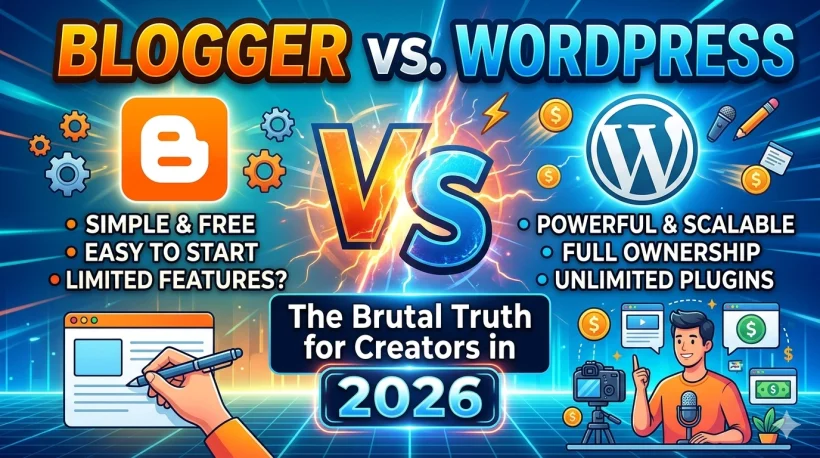
I started my first blog in 2015 on Blogger. I was so excited. I was dragging and dropping widgets, adding my first Google Adsense code, and watching my first 47 pageviews come in like they were a million dollars.
Back then, the big question was simple: Blogger or WordPress? WordPress felt like something only developers and computer experts used. Normal people used Blogger.
Now it is 2026. Eleven years have passed. I have built blogs on almost every platform you can think of. I watched Google shut down Google+ and almost shut down Blogger in 2021 too.
I watched WordPress grow into something powerful but also complicated. I watched new platforms like Substack, Ghost, and Wix come in and steal attention.
I also watched SEO change completely. In 2015, you could write the same keyword 20 times in one article and Google would rank you.
Today, that will get your site penalized. Google now uses AI to read your content and understand if you are a real expert or just copying other people.
If you are reading this feeling confused and stuck because you do not know which platform to choose, I am going to give you a straight and honest answer.
No confusing tech words. No “both are great, just pick one!” nonsense. Let’s go.
Table of Contents
ToggleA Lot Has Changed Since 2015
When I started blogging in 2015, SEO was a numbers game. You just needed to publish a lot of articles, use the right keywords, and build some links to your site. It was not complicated.
Today, Google uses something called AI-assisted Search Generative Experience. What this means in simple words:
Google now reads your article, takes the most important parts, puts them at the top of the search results, and sometimes does not even send people to your website at all.
This is a big problem for bloggers. And it means the platform you choose matters more than ever before.
You need a platform that gives you control over your site speed, your content structure, and your audience. One platform gives you that control. The other one does not.
SEO evolution
How SEO Changed From 2015 to 2026
And what WordPress and Blogger did (or did not do) to keep up.
Keyword stuffing era
Bloggers packed keywords into every sentence. Google ranked pages based on how many times a keyword appeared. More keywords meant higher rankings.
Google penalizes thin content
Google's Panda and Penguin updates started punishing low-quality, keyword-heavy pages. Real, useful content began to matter more than keyword counts.
E-A-T becomes the standard
Google introduced E-A-T: Expertise, Authority, and Trust. Who wrote the content started to matter. Author bios, About pages, and backlinks from trusted sites became critical ranking signals.
Core Web Vitals announced
Google announced that page speed, how fast your site loads, and how stable the layout is would now directly affect your ranking. Slow sites started losing positions in search results.
Helpful Content update
Google released its Helpful Content update, targeting content written for search engines rather than real people. Blogs that sounded robotic or generic started losing ranking overnight.
AI Overviews arrive
Google launched AI Overviews. Google's AI now reads your article, picks out the key points, and shows them at the top of search results without sending people to your site. Being the source Google quotes became the new goal.
AI content summaries are the norm
Google's AI now summarizes nearly every search result. Clicks go to sites that demonstrate real human expertise. E-E-A-T signals, fast loading pages, and structured data are the three things that decide who gets traffic and who does not.
Platform scorecard after 11 years
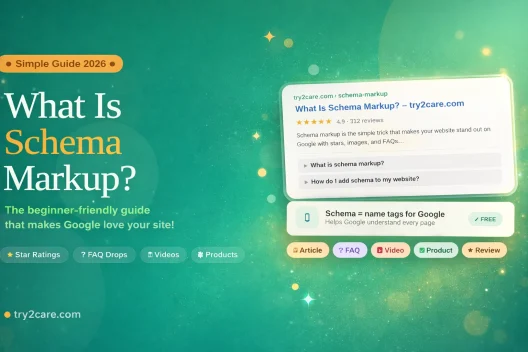
Learn more about schema markup
Blogger in 2026: Easy to Start But Hard to Grow
Let me say something fair about Blogger first, because it is not a bad platform for everyone.
What Blogger Does Well
Blogger is completely free. You do not pay for hosting. You do not pay for a domain if you use the free “.blogspot.com” address. Google keeps your site running, so it will not crash if your article suddenly gets a lot of visitors.
In 2026, Blogger also works nicely with other Google tools. Google indexes your articles quickly.
Google Search Console connects in just a few clicks. If you already use Google tools like Gmail or Google Docs every day, Blogger feels natural and familiar.
Pro tip: If you are writing a hobby blog with no plans to make money, Blogger is a perfectly fine choice. It costs nothing and it is very easy to use.
The Big Problem With Blogger
Here is the part I need you to pay close attention to.
You do not own your Blogger blog. Google owns it. And Google has a habit of shutting down products when they no longer find them useful. Google+ is gone. Google Reader is gone. Google Stadia is gone. Blogger itself almost got shut down in 2021.
If Google closes Blogger tomorrow, your blog is gone. Your articles are gone. Your traffic is gone. Everything you built disappears and you lose.
On top of that, Blogger has a very low ceiling when it comes to growing your blog. You cannot add advanced SEO tools. You cannot control how fast your site loads.
You cannot easily add a newsletter signup. You cannot add features that help Google understand what your content is about through something called Schema markup.
In 2026, many creators are also building email newsletters because platforms like Substack are growing fast. Blogger has no built-in newsletter feature. You have to use outside tools and connect them manually, which can be messy.
WordPress in 2026: The Best Choice for Serious Creators
WordPress powers about 43% of all websites in the world. That number has stayed the same for years. This means WordPress is not growing like crazy, but it is also not going away. It is the standard.
What WordPress Does Well
The most important word when it comes to WordPress is: ownership.
When you use WordPress (the self-hosted version at WordPress.org), you own everything. You own your articles.
You own your audience. You own your data. No company can wake up one day and delete your blog or change the rules on you.
WordPress also gives you strong SEO tools. Plugins like Yoast SEO or Rank Math help you tell Google exactly what your content is about.
This is very important in 2026 because Google now looks for signals that show you are a real, trusted expert. These tools help you send those signals clearly.
You also have full control over your site speed. Site speed is one of the things Google measures when deciding where to rank you.
With WordPress, you can install caching tools and image optimizers that make your site load fast.
For newsletters, WordPress connects easily with popular tools like ConvertKit and Beehiiv.
Building an email list is one of the most powerful things a creator can do in 2026, and WordPress makes it possible.
10-year platform comparison (2016 to 2026)
WordPress vs. Blogger Growth
Illustrative growth trajectory for a typical creator. Click a metric to compare.
WordPress traffic grows steadily every year because SEO authority builds on itself. Blogger traffic goes up and down because Google controls everything and can change how it ranks your site at any time.
The Problems With WordPress
I am not going to pretend WordPress is easy. It is not.
WordPress requires maintenance. You need to update your plugins regulerly, update your theme, and check that everything still works together. If you ignore this, your site can break or get hacked.
WordPress also costs money. A good hosting plan for WordPress will cost you between $25 and $100 per month. If you go with a cheap host to save money, your site will be slow and that will hurt your rankings.
There are also too many plugin options, which can be confusing. Beginners often install too many plugins at once and then wonder why their site is slow or broken.
Pro tip: Use a simple, fast theme like GeneratePress or Kadence. Keep your plugin count under 15. Every plugin you install should have a clear reason for being there.
Simple Side-by-Side Comparison
| What We Are Comparing | Blogger | WordPress.org |
|---|---|---|
| Cost | Free | $25 to $100 per month |
| Do You Own It? | No, Google does | Yes, fully yours |
| SEO Growth Potential | Limited | Very high |
| AI Tool Connections | Google tools only | Works with almost everything |
| How Hard Is It to Learn? | Very easy | Medium difficulty |
| Built-in Newsletter | No | Yes, through plugins |
| Site Speed Control | Very little | Full control |
| Schema Markup (SEO Tags) | Manual and difficult | Easy with plugins |
| Can Compete With Substack? | Not really | Yes, with the right setup |
| Future-Proof? | Risky | Very stable |
The Honest Truth About Each Platform’s Weaknesses
Blogger’s Biggest Problems
You are not building your own asset. Every article you write, every reader you gain, every bit of SEO work you do is sitting on Google’s property. If they decide to close Blogger, you lose it all.
Google may start treating Blogger sites as lower quality. Because Blogger does not support authorship tools or structured data easily, Google’s systems may start seeing Blogger content as less trustworthy compared to a well-built WordPress site.
You cannot grow your income easily. Google Adsense is the main way to make money on Blogger.
Things like selling your own products, running a paid newsletter, or building a membership are very hard or impossible to set up properly on Blogger.
WordPress’s Biggest Problems
It will cost you time, not just money. Even if you hire someone to help you set it up, you will spend a few hours each month on updates and maintenance. This is just the reality of owning your own website.
Cheap hosting destroys your advantage. If you move to WordPress but pay $3 per month for the cheapest hosting you can find, your site will be slow.
A slow site ranks poorly. You will lose the main benefit of using WordPress in the first place.
Learning takes time. There is a period of confusion at the beginning when you are figuring out how themes, plugins, and settings work together. This is normal. Push through it and it gets much easier.
Things Neither Platform Handles Perfectly in 2026
AI Content Detection Is a Real Concern
There is a lot of talk in 2026 about AI-generated content. Google has gotten better at detecting whether a human with real experience wrote something or whether it was generated by an AI tool with no real knowledge.
Here is the important thing: the platform you use does not protect you from this. It does not matter if you use Blogger or WordPress.
What matters is whether your content shows real experience, real opinions, and real depth.
That is what Google calls E-E-A-T, which stands for Experience, Expertise, Authority, and Trust.
Write like a real person who actually knows the topic. That is your best protection in 2026.
Substack Is Growing Fast
Substack now lets writers publish articles that show up in Google search results. It also has a built-in recommendation system that helps new writers grow their audience. This is serious competition.
Neither Blogger nor WordPress has this built-in. WordPress comes closest because you can connect newsletter tools to it and build something similar.
But it takes more setup. If your main goal is building a newsletter audience from scratch, it is worth comparing Substack and Ghost alongside WordPress before you decide.
For a full guide on building your online income, read: How to Create a Website and Make Money Easy Guide 2026
The Future of Web Ownership
This is a smaller topic but worth mentioning. WordPress has a plugin that lets your blog connect to a network of websites called the Fediverse.
This is a decentralized network, meaning no single company controls it. Blogger has nothing like this.
For creators who are worried about depending on big tech companies, this is one more reason to choose WordPress.
Final Verdict: Which Platform Should You Choose?
The Hobbyist
Choose Blogger. If you are writing about your hobby, your garden, your book reviews, or your neighborhood events, and you have no plans to make money from it, Blogger is perfect.
It is free, simple, and easy to use. You do not need to pay $30 per month for hosting just to share your personal stories with a small audience.
The Solopreneur
Choose WordPress.org. If you are building a personal brand, a niche blog, an affiliate site, or a content business even a small one, WordPress is the only choice that makes sense long term. You need to own your content, your email list, and your SEO progress.
Blogger builds Google’s asset. WordPress builds yours.
Budget around $25 to $40 per month for good hosting. Spend a couple of weekends learning the basics. It is an investment that will pay you back over and over.
The Media Company
Choose WordPress, no question. If you are running a blog with multiple writers, advertisers, and a serious content strategy, Blogger is not even an option.
WordPress gives you the tools to manage a team, run ads properly, build complex content systems, and even connect your blog to advanced tech setups that keep your site fast and modern.
The Bottom Line
I started on Blogger in 2015. I moved to WordPress in 2017 and I have never looked back.
The internet is harder and more competitive now than it was when I started. Google’s AI tools are reading and judging content more carefully than ever before.
The creators who win in 2026 are the ones who own their platform, own their audience, and build something that grows stronger over time.
Blogger is a nice place to write. WordPress is a place to build a real business.
If you are serious about your blog, the answer is WordPress. It has been for a long time. Stop overthinking it and start building.
Have questions about which platform is right for you? Leave a comment below and I will help you figure it out.