

Blogger & digital entrepreneur with 10+ years helping beginners build websites.
Founder of Try2Care. Passionate about making online income accessible to everyone.
Introduction
If you have ever thought about making money online but didn’t know where to start, this guide is for you.
In this post, I’m going to show you step by step how to create a website from scratch and turn it into something that can generate income.
You don’t need to be a developer. You don’t need expensive tools. All you need is the right guidance and consistency.
By the end of this guide, you will understand how websites are built, how they grow, and how they make money in a very simple and practical way.
Why Creating a Website Is a Smart Move in 2026
Creating a website today is one of the smartest ways to build something for yourself online. Unlike social media platforms, your website is something you fully control.
Think of it like building your own shop. If you post on social media, it’s like renting space in someone else’s shop. But with a website, you own the shop.
Here are a few reasons why this is a smart move:
- Low startup cost compared to most businesses
- You can start from anywhere
- It can grow into a long-term income source
- You are building your own digital asset
- WordPress powers over 43% of all websites on the internet (Source: W3Techs, 2025)
- The global blogging industry generates over $400 million per year in affiliate revenue alone
- Websites monetised with AdSense can earn between $2–$10 per 1,000 page views depending on the niche
- Organic search (SEO) drives over 50% of all website traffic, more than social media and paid ads combined (Source: BrightEdge)
- Over 600 million blogs exist online, but fewer than 5% are actively updated, meaning consistency alone gives you an edge
Many people start with zero experience and slowly build websites that generate consistent income every month.
Step 1 Choose a Niche
What is a niche
A niche is simply the topic or area your website will focus on.
Instead of talking about everything, you choose one main subject.
Real-world example:
- A shop that sells everything is confusing
- A shop that sells only phones is focused and easier to grow
That “phones” focus is the niche.
How to choose a profitable niche
Choosing the right niche is very important because it affects your growth and earnings.
Here’s how to choose a good one:
- Pick something people are searching for (demand)
- Make sure money exists in that topic (people buy things there)
- Choose something you can talk about often
Simple way to think about it:
If people are searching for it AND companies are selling in it → it’s a good niche
Examples of good niches
- Tech tutorials
- Making money online
- Personal finance
- Fitness and health
- Software reviews
Step 2 Buy a Domain Name
What is a domain
A domain name is your website address.
It is what people type into their browser to visit your site.
Example:
- yourwebsite.com
Real-world example:
A domain is like your shop name and address combined.
Tips for choosing a good domain
- Keep it short and easy to remember
- Avoid numbers and hyphens
- Make it related to your niche
- Use .com if possible
A good domain name helps people trust your site and makes it easier to remember.
Step 3 Get Web Hosting
What is hosting
Web hosting is where your website lives on the internet.
Real-world example:
- Domain = your shop name
- Hosting = the building where your shop exists
Without hosting, your website cannot be seen online.
What to look for in hosting
- Good speed (fast loading site)
- High uptime (site stays online)
- Reliable support
- Easy WordPress installation
Choose something simple as a beginner so you don’t struggle.
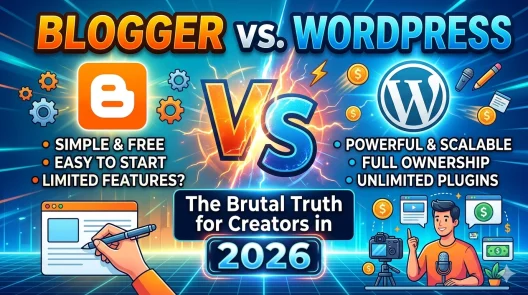
Step 4 Choose Your Platform (WordPress or Blogger)
WordPress (most recommended)
WordPress is the most popular platform for building websites.
Why people use it:
- Full control
- More customization
- Better for long-term growth
Blogger (free and beginner-friendly)
Blogger is a free platform where you can create a website without paying for hosting.
Why it’s good for beginners:
- Free to start
- Very easy to use
- No technical setup
Real-world example:
- Blogger = renting a ready-made shop for free
- WordPress = building your own shop from scratch
If you are just starting and have no budget, Blogger is a good place to begin.
If you want full control and serious growth, WordPress is better.
| Feature | WordPress.org | Blogger |
|---|---|---|
| Cost | ~$30–$100/year (hosting + domain) | Free (hosted by Google) |
| Ownership | You own everything | Google owns the platform |
| Customisation | Unlimited (themes, plugins) | Limited templates |
| Monetisation | AdSense, affiliates, products, courses | AdSense only (easy approval) |
| SEO Control | Full control (Yoast, RankMath) | Basic SEO only |
| Best For | Serious long-term growth | Beginners with zero budget |
| Difficulty | Moderate setup | Very easy setup |
Step 5 Design Your Website
Important pages to create
Every website should have these pages:
- Home page
- About page
- Contact page
- Privacy Policy
These pages make your website look professional and trustworthy.
Keep design clean and simple
Avoid making your site complicated.
Real-world example:
If a shop is messy, people leave quickly. Same with a website.
Keep it simple, clean, and easy to navigate.
Step 6 Create Content
Content is what you publish on your website. It can be articles, guides, or tutorials.
Without content, your website cannot grow.
What kind of content to write
- Tutorials (how to do something)
- Guides (step-by-step explanations)
- Reviews (opinions about products)
Focus on solving problems.
What is SEO (Search Engine Optimization)
SEO means making your website easy for search engines like Google to understand and show to people.
Real-world example:
Imagine Google is a librarian. SEO helps your book (your website) get placed where people can find it easily.
What are keywords
Keywords are the words people type when searching online.
Example:
- “how to create a website”
- “make money online”
If your content includes these words naturally, your site has a chance to appear in search results.
Simple SEO tips
- Use keywords naturally in your content
- Write clear titles
- Use headings to organize content
- Make your content helpful and easy to read
Step 7 Get Traffic to Your Website
Traffic means visitors coming to your website.
No visitors = no money.
Free traffic methods
- SEO (getting visitors from Google)
- Social media (sharing your posts)
- Online communities
Paid traffic
You can also pay for ads to bring visitors, but beginners should focus on free traffic first.
Step 8 How to Make Money
Once your website starts getting visitors, you can start earning money.
Google AdSense
Google AdSense allows you to earn money by displaying ads on your website.
What are ads
Ads are promotions you see online.
Real-world examples:
- A banner promoting a phone
- A video ad before a YouTube video
- A product suggestion on a website
These are all ads.
Where does the money come from
Companies pay Google to show their ads.
Example:
A phone company wants people to buy their phones.
They pay Google to advertise.
Google then shows those ads on your website.
When visitors see or click those ads, Google shares part of that money with you.
That’s how you earn.
What’s the catch
- You need traffic (visitors)
- You must follow rules (no clicking your own ads)
- Earnings start small and grow over time
Simple truth:
More visitors → more ad views → more money
Affiliate Marketing – How to Actually Earn
Affiliate marketing is one of the most profitable ways to earn from a website, often far more than ads. Here’s exactly how it works:
- You join an affiliate programme (free to join)
- You get a unique tracking link for each product
- You mention the product naturally inside a blog post
- When a reader clicks your link and buys, you earn a commission — usually 5% to 50%
Best affiliate programmes for beginners:
| Programme | Commission Rate | Best For | Link |
|---|---|---|---|
| Amazon Associates | 1%–10% | Product reviews | Join → |
| ShareASale | 5%–50% (varies) | All niches | Join → |
| CJ Affiliate | Varies | Tech & finance | Join → |
| Impact.com | Varies | SaaS & software | Join → |
| Hostinger Affiliate | Up to 60% | Web hosting posts | Join → |
Selling products
You can sell:
- Ebooks
- Courses
- Services
This usually makes more money than ads.
Sponsored posts
Companies may pay you to talk about their products on your website.
This happens when your site grows.
Common Mistakes to Avoid
- Giving up too early
- Not understanding SEO
- Writing low-quality content
- Choosing a niche with no demand
Avoiding these mistakes will save you time.
How Long Does It Take to Make Money
Building a website takes time.
Realistic timeline:
- 3 to 6 months → learning and building content
- 6 to 12 months → traffic starts growing
- After 12 months → income becomes more stable
Consistency is more important than speed.
Real Example
Let’s say you create a website about tech tutorials.
At first, you have zero visitors.
You write helpful articles every week.
After a few months, Google starts showing your content.
People visit your site daily.
You apply for AdSense and get approved.
Now your site starts earning from ads and affiliate links.
This is how most websites grow over time.
Deep Dive Into SEO (Make It Work for You)
Now that you understand what SEO is, let’s go a bit deeper in a simple way.
Think of SEO as answering questions people are already asking.
If someone searches “how to create a website”, Google looks for the best answer. Your job is to create that answer.
Types of SEO
- On-page SEO: what you do on your website
- Off-page SEO: what happens outside your website
- Technical SEO: how your website works behind the scenes
Don’t worry about mastering everything at once. Start with the basics.
On-page SEO checklist (very important)
Every post you write should:
- Have a clear title with your keyword
- Use headings to break content
- Be easy to read
- Answer a specific question
Real-world example:
If someone searches “best phones under $200”, your article should clearly answer that.
What is keyword research
Keyword research means finding what people are searching for.
Real-world example:
Before opening a shop, you check what people want to buy.
Same idea here.
Simple way to find keywords
- Use Google search suggestions
- Look at “People also ask” section
- Check what others are writing about
Start simple. You don’t need advanced tools at the beginning.
Do This If You Want to Grow Your YouTube Channel: Your Ultimate Guide
Going Viral on YouTube: 14 Secrets to Explosive Channel Growth
Creating Your First Content Plan
A content plan helps you stay consistent.
Instead of guessing what to write, you plan ahead.
Example beginner content plan
Week 1:
- What is SEO
- How to create a website
Week 2:
- Best free blogging platforms
- How to choose a niche
Week 3:
- How to get traffic to your website
- How to make money with AdSense
This keeps you focused and consistent.
Understanding Website Growth (What to Expect)
Most beginners expect results too quickly.
But websites grow slowly at first, then faster over time.
Stage 1 (0–3 months)
- Learning
- Writing content
- Almost no traffic
Stage 2 (3–6 months)
- Some posts start ranking
- Small traffic begins
Stage 3 (6–12 months)
- Traffic increases
- First earnings appear
Stage 4 (12+ months)
- Consistent traffic
- Stable income
Real-world example:
Like planting a tree. It grows slowly at first, then becomes strong.
More Ways to Make Money (Beyond Basics)
As your website grows, you can increase your income.
Email marketing (simple explanation)
You collect emails from visitors and send them helpful content.
Later, you can recommend products.
Real-world example:
It’s like having a list of customers you can contact anytime.
Selling your own service
If you have a skill, your website can bring clients.
Examples:
- Website design
- SEO services
- Writing services
Creating digital products
You can create once and sell many times.
Examples:
- Guides
- Templates
- Online courses
Using Google Search Console and Bing Webmaster Tools
These tools help you understand your website performance.
What Google Search Console does
- Shows how your site appears on Google
- Shows keywords people use to find you
- Helps fix errors
What Bing Webmaster Tools does
- Similar to Google tools
- Helps you get traffic from Bing
These tools are free and very useful as your site grows.
🔍 SEO & Research Tools
| Tool | What It Does | Link |
|---|---|---|
| Google Search Console | Track rankings, fix errors, submit sitemaps | Visit → |
| Bing Webmaster Tools | Same as GSC but for Bing traffic | Visit → |
| Google Analytics 4 | See who visits your site and what they do | Visit → |
| Ubersuggest (free tier) | Keyword research and competitor analysis | Visit → |
| Google Keyword Planner | Find what people search for (free) | Visit → |
✍️ Content & AI Writing Tools
| Tool | What It Does | Link |
|---|---|---|
| Claude AI | Draft blog posts, outlines, FAQ sections — excellent for beginners | Visit → |
| ChatGPT | Generate content ideas, article drafts, meta descriptions | Visit → |
| Grammarly (free) | Fix grammar, spelling, and readability in your posts | Visit → |
| Hemingway Editor | Simplify your writing for better readability scores | Visit → |
🌐 WordPress Plugins
| Plugin | What It Does | Link |
|---|---|---|
| Rank Math SEO | Best free SEO plugin — score your posts before publishing | Visit → |
| W3 Total Cache | Speed up your site — page speed affects rankings | Visit → |
| Wordfence | Free security plugin to protect your site | Visit → |
| MailerLite | Free email list builder for up to 1,000 subscribers | Visit → |
Tracking Your Progress
To grow faster, you need to track what works.
What to track
- Number of visitors
- Which posts get traffic
- Which keywords are working
This helps you focus on what brings results.
Building Trust With Your Visitors
Trust is very important online.
If people trust your content, they are more likely to:
- Stay longer
- Click ads
- Buy products
How to build trust
- Write honestly
- Avoid misleading titles
- Provide real value
Real-world example:
If a shop gives bad products, customers don’t return. Same online.
Expanding Your Website Over Time
Once your website grows, you can expand it.
Add more categories
Start small, then grow into more topics.
Update old posts
Improve your content regularly.
Google likes fresh and updated content.
Create pillar content
This is a long guide (like this one) that links to smaller posts.
It helps your whole site rank better.
Advanced Internal Linking Example
Let’s say you have these posts:
- How to choose a niche
- Keyword research guide
- AdSense approval guide
You can link all of them back to this main guide.
And also link between them.
This creates a strong content network.
Beginner-Friendly AdSense Tips
To get approved faster and earn better:
- Write at least 10–15 quality posts
- Make your site look clean and complete
- Add important pages (About, Contact, Privacy Policy)
- Avoid copied content
How to increase earnings
- Focus on high-quality traffic
- Write content in profitable niches
- Place ads properly
Extra Frequently Asked Questions
Can I use Blogger and still make money
Yes. Many people earn using Blogger.
However, WordPress gives more flexibility long-term.
What is the easiest niche to start
Tutorial-based niches are easiest because people are always searching for help.
Do I need to be an expert
No. You can learn and share as you grow.
Just be honest and helpful.
Can I fail at this
Yes, if you quit too early.
Most people fail because they stop, not because it doesn’t work.
Is SEO better than social media
SEO is better long-term because it brings consistent traffic.
Social media traffic is usually temporary.
Frequently Asked Questions
What is the easiest way to create a website for beginners?
Can I create a website without coding?
How much does it cost to start a website?
How do beginners make money from a website?
How does Google AdSense pay you?
How long does it take to make money from a website?
What is SEO and why is it important?
What are keywords in simple terms?
Is Blogger better than WordPress?
How many blog posts do I need before applying for AdSense?
Final Thoughts
Starting a website and making money online is possible for anyone willing to learn and stay consistent.
You don’t need to be perfect. You just need to start.
Focus on creating helpful content, learning SEO, and improving over time. Your website can grow into something valuable if you stay committed.