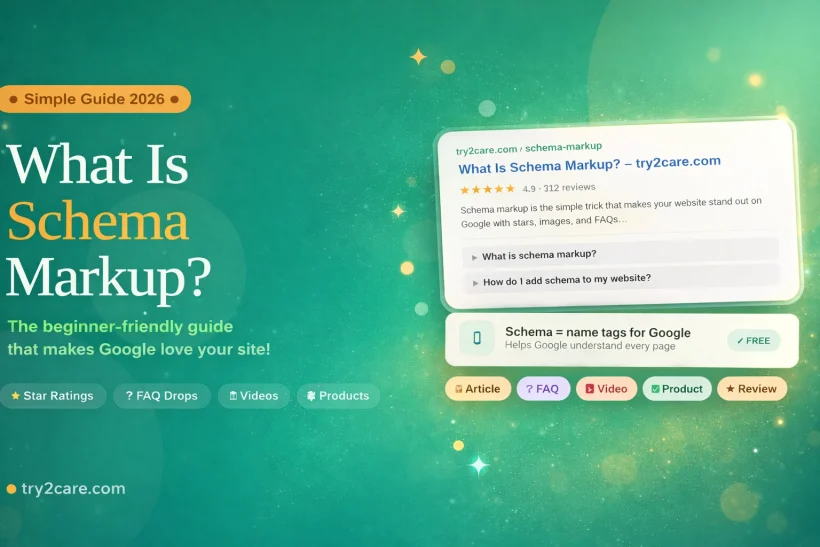
Have you ever looked at Google and seen little gold stars ⭐⭐⭐⭐⭐ next to a website? Or maybe you saw a question pop open right on the search page? You have already seen schema markup in action.
Schema markup is not complicated. It only looks technical. In this guide, you will understand it in the simplest way possible, even if you are just starting your online journey. Let’s learn it together step by step, just like learning your ABCs!
What IS Schema Markup?
Schema markup is a small piece of code added to your website that helps search engines understand your content better.
Instead of guessing what your page is about, search engines like Google can clearly understand whether your page is a blog post, a product, a video, or something else.
This system comes from Schema.org, a project supported by major search engines, and Google recommends using structured data to improve how your pages appear in search results.
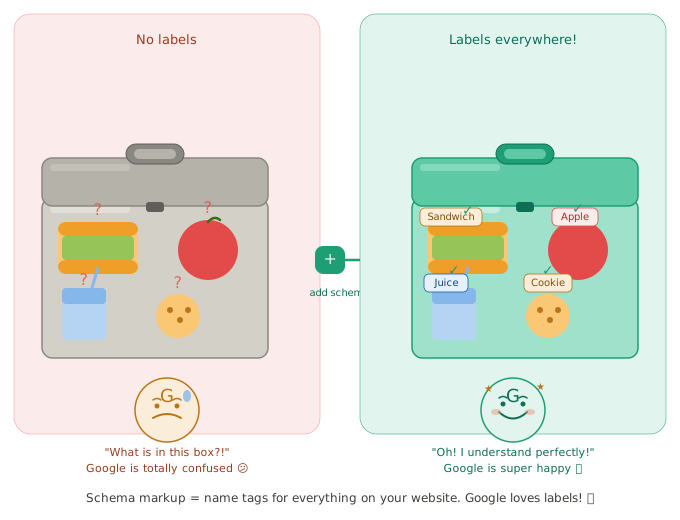
Think of your website like a lunchbox.
Inside the lunchbox, you have a sandwich, an apple, and some juice. But if the lunchbox has no labels, your teacher does not know whose it is or what is inside!
Schema markup is like putting a name tag and labels on your lunchbox.
It tells Google:
- Who made this page
- What type of page it is
- What people think about it
Now Google is not confused anymore. Google be like “Oh! I understand now!”
A Super Simple Example
Imagine you tell Google this:
“Lionel Messi scored a goal.”
Google hears the words. But Google is a little confused. It says: “Who is Lionel Messi? Is he a baker? A teacher? A dog?”
But with schema markup, you give Google a little note that says:
- This is a person
- His name is Lionel Messi
- He is a football player
- He scored a goal
Now Google be like: “OH! I know him! He plays football! Great!”
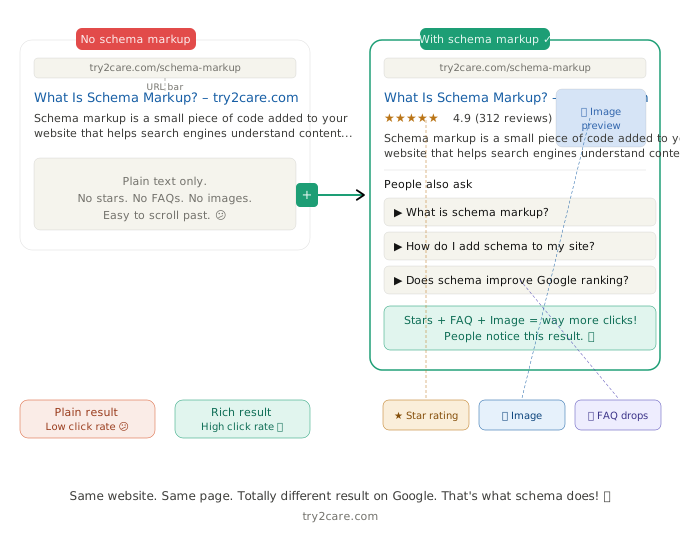
| Without Schema Markup | With Schema Markup |
|---|---|
| Google has to guess 🤷 | Google knows for sure ✅ |
| Your page looks plain on Google 😐 | Your page looks amazing on Google 🌟 |
| Fewer people click on your page 😔 | More people click on your page 🎉 |
| Google might show the wrong info ❌ | Google shows the right info ✔️ |
Why Does Schema Markup Matter?
When your website has schema markup, search engines like Google can show extra cool things next to your link.
These are called Rich Results. Think of them as gold stickers on your homework. They make you stand out!
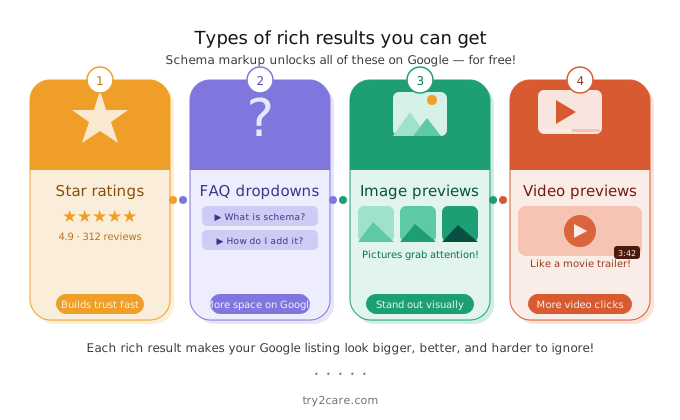
Here are the cool things schema can show:
- ⭐ Star ratings — people can see how good your page is before they even click. If your page has 5 stars, more people will want to visit!
- ❓ FAQs — questions and answers show up right on Google. The person gets a little answer without even visiting your page. This makes them trust you more!
- 🖼️ Images — pictures show up next to your link on Google. A page with a picture stands out way more than a page with just words.
- 🎬 Video previews — people can see a little peek of your video before clicking. It is like a movie trailer, but for your webpage! 🍿
- 🛒 Product details — if you are selling something, Google can show the price and if it is in stock. Shoppers love this because they do not have to dig around your site!
- 📅 Event details — hosting something? Schema can show the date, time, and place right on Google. No clicking needed!
Think of it this way, two kids are selling lemonade. One has a plain sign that just says “Lemonade.” The other has a sign with the price, a picture, and five gold stars. Which one would YOU visit? That is exactly what schema does for your website.
If you are just starting to build a website, you can also check out this easy guide: How to Create a Website and Make Money Easy Guide
How Schema Helps YOU (Even If You Are Just Starting)
If you are new, that is okay! Everyone starts at the beginning. When you are starting out, every small advantage matters.
Schema markup is like getting a head start in a race. Even small websites can look big and important on Google with the right schema!
Here is what schema helps you do:
| Your Problem | How Schema Helps |
|---|---|
| Nobody sees your website | Schema makes it more visible |
| Your Google result looks boring | Schema adds stars, images, and FAQs |
| Google does not understand your page | Schema explains everything clearly |
| People scroll past your link | A better-looking result gets more clicks |
Before adding schema, you first need to pick where to build your website. Not sure yet? Check out this guide: Blogger vs. WordPress — Which One to Choose
Types of Schema Markup (The Big Toy Box)
Schema markup has many types just like a toy box has many different toys!
Each toy (or schema type) is for a different thing.
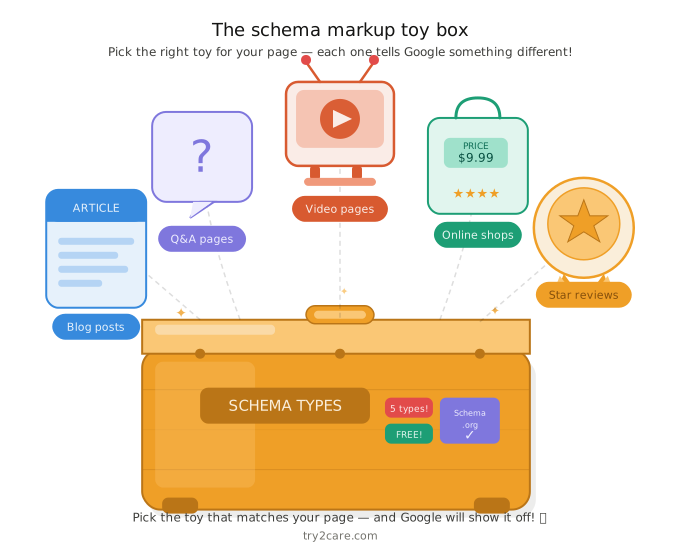
| Schema Type | What It’s For | Best For |
|---|---|---|
| 📰 Article Schema | Blog posts and guides | Writers and bloggers |
| ❓ FAQ Schema | Questions and answers | All websites |
| 🎬 Video Schema | Pages with videos | YouTubers and creators |
| 🛒 Product Schema | Things you are selling | Online shops |
| ⭐ Review Schema | Star ratings and reviews | Restaurants, products, services |
Article Schema
This one is for blog posts just like this one!
It tells Google: “Hey! This is an article. It has a title, an author, and a date it was written.”
Think of it like the front cover of a book. A book cover shows you the title, who wrote it, and when it came out. Article schema does the exact same thing but for your webpage!
When Google understands your page is an article, it can show it in a much nicer way in search results. It might display your headline, your author name, and even the date you published it.
This is great because people searching on Google can see right away:
- What your article is about
- Who wrote it
- When it was written so they know it is fresh and up to date!
The newer your article looks, the more people trust it and want to click on it.
FAQ Schema
This one is really fun!
When someone searches on Google, your questions and answers pop open right there on the search page. The person does not even have to click your link to read them!
Think of it like a magic door. Someone knocks, and the answer opens up right in front of them. No waiting. No searching around. Just pop there it is!
For example, if someone searches “What is schema markup?” and your page has FAQ schema, Google might show something like this right in the results:
What is schema markup? ▼ Schema markup is a small piece of code that helps Google understand your website better.
The person reads your answer, thinks “Wow, this person really knows their stuff!” and then clicks your link to learn even more.
This is great because it does two things at the same time:
- It builds trust: people see you have answers before they even visit
- It gets more clicks: curious people always want to read the full story!
And the best part? FAQ schema is one of the easiest schema types to add to any page.
Video Schema
Got a YouTube video on your page?
Video schema tells Google all about your video, the title, how long it is, and what it is about.
Think of it like a movie poster. When you walk past a cinema, the poster tells you the movie name, what it is about, and how exciting it looks, before you even buy a ticket! Video schema does the same thing for your video on Google.
When Google understands you have a video, it can show a thumbnail preview right in the search results. That little picture makes your result look SO much more exciting than just plain words on a page.
People searching on Google will see:
- A preview image of your video
- The title of your video
- How long the video is so they know what they are getting into!
This is really powerful because people love watching videos. If they can see a little preview right on Google, they are much more likely to click and watch the whole thing.
And more views means your channel and your website both grow together like two best friends helping each other out!
Want to make great videos? Check out: 10 Video Ideas for Your First YouTube Channel
Product Schema
Are you selling things online?
Product schema shows the price, star rating, and if the item is in stock right on Google, before anyone even clicks your link!
Think of it like a price tag on a shop window. When you walk past a store, you can see the item, the price, and how popular it is, all without stepping inside. That makes you way more likely to walk in and buy it!
That is exactly what product schema does for your online shop. Instead of making people click around to find basic info, Google puts it all right there in the search results.
People searching on Google will see:
- 💰 The price: so they know straight away if they can afford it
- ⭐ The star rating: so they know other people liked it
- ✅ Whether it is in stock: so they do not waste a click on something sold out!
This is super powerful because shoppers are busy people. If they can see the price and stars without clicking, they feel safe and confident to buy.
And a confident shopper is much more likely to become a happy customer!
What Does Google Say About Schema?
Google loves schema markup! 💚
In fact, Google actually recommends that every website owner uses it. That is like your teacher telling you: “Yes! Please do this it will help you get an A+”
Google even made free tools to help you check if your schema is working correctly. Think of these tools like a spell checker for schema just like how your phone puts a red squiggly line under a word you spelled wrong!
When you run your page through these tools, they will tell you:
- What you did right
- What you did wrong
- Exactly how to fix it
It is like having a kind teacher look over your homework and circle the mistakes with a green pen not to make you feel bad, but to help you do better!
The two tools Google gives you are:
- Structured Data Testing Tool: checks your schema code and finds any errors hiding inside
- Rich Results Test: shows you a little preview of how your page will actually look on Google once your schema is working
The best part? Both tools are completely free. No paying, no signing up, no fuss. Just paste your link and go!
Always test your schema before you publish your page. That way you catch any mistakes early — just like checking your schoolbag the night before, not five minutes before the bus arrives!
| Google Tool | What It Does | How It Helps You |
|---|---|---|
| Structured Data Testing Tool | Checks your schema code | Finds mistakes for you |
| Rich Results Test | Shows how Google will display your page | You can see if it looks right |
Both tools are free and easy to use. Even beginners can do it!
Does Schema Make Your Website Rank Higher?
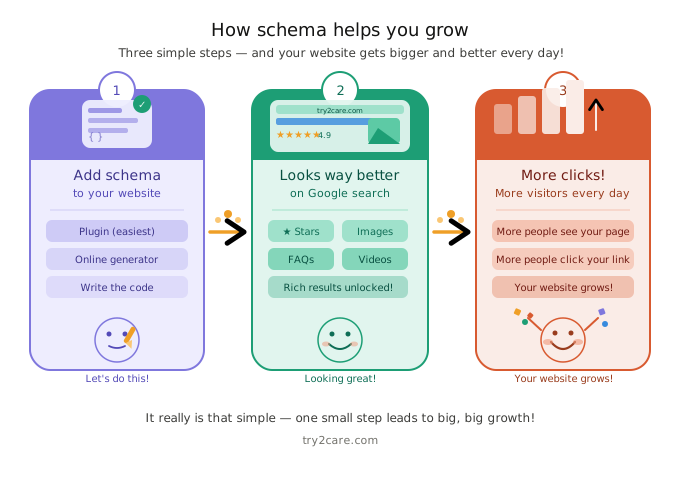
Here is a little secret: Schema does not directly make Google put you at number one.
BUT it makes your result look so much better that more people click on it.
More clicks = more visitors = your website grows!
Want to grow your video content too? This guide will help: Do This If You Want to Grow Your YouTube Channel: Your Ultimate Guide
How Do You Add Schema Markup?
Good news! You do not need to be a computer expert.
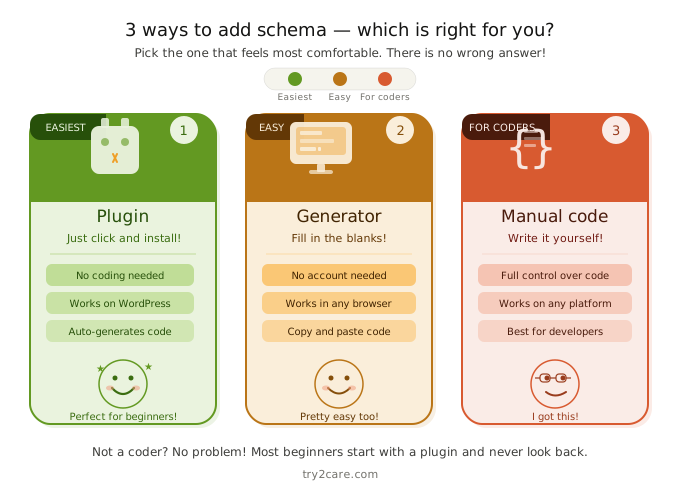
There are 3 easy ways to add schema:
| Method | How Hard Is It? | Who Should Use It? |
|---|---|---|
| Use a Plugin | Super easy | WordPress beginners |
| Use an Online Generator | Pretty easy | Anyone without coding skills |
| Write the Code Yourself | A little harder | People who like to code |
Most beginners use plugins because you just click a few buttons and you are done! No time wasting, no coding needed.
What Does Schema Code Look Like?
Here is a tiny peek at schema code. Do not worry you do not need to memorize it!
<script type="application/ld+json">
{
  "@context": "https://schema.org",
  "@type": "Article",
  "headline": "What Is Schema Markup",
  "author": "Admin"
}
</script>
See? It is just a little note that you paste into your website. It tells Google: “This page is an Article, and Admin wrote it.”
Tools can write this code for you automatically. You just fill in the blanks!
Mistakes That Beginners Make (Don’t Do These!)
Even grown-ups make mistakes sometimes. Here are the most common ones — and how to avoid them!
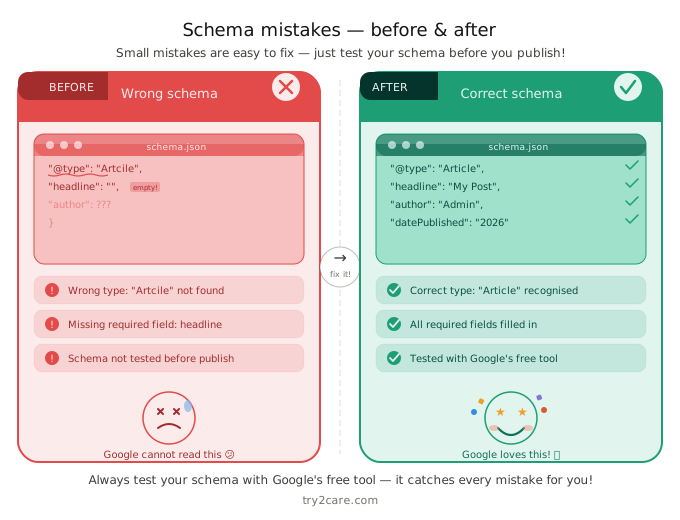
| Mistake | Why It’s a Problem | How to Fix It |
|---|---|---|
| Using the wrong schema type | Google gets confused | Pick the type that matches your page |
| Missing required fields | Schema does not work properly | Always fill in ALL required boxes |
| Not testing your schema | Errors stay hidden | Always test using Google’s free tools |
| Adding schema to the wrong page | Wasted effort | Make sure the code matches the page content |
Note: When adding star rating schema, make sure the rating matches exactly what is shown on your page because Google may ignore or penalize mismatched structured data.
Final Thoughts
Schema markup sounds scary. But it is not!
It is just a little helper that tells Google: “Hey Google! Here is what my page is about. Please show it nicely!”
And Google says: “Thank you! I will make your page look great in search results!”
If you are building your website with try2care.com, adding schema early is one of the smartest things you can do.
You do not need to be a computer wizard. You just need to take it one step at a time just like learning to walk before you run!
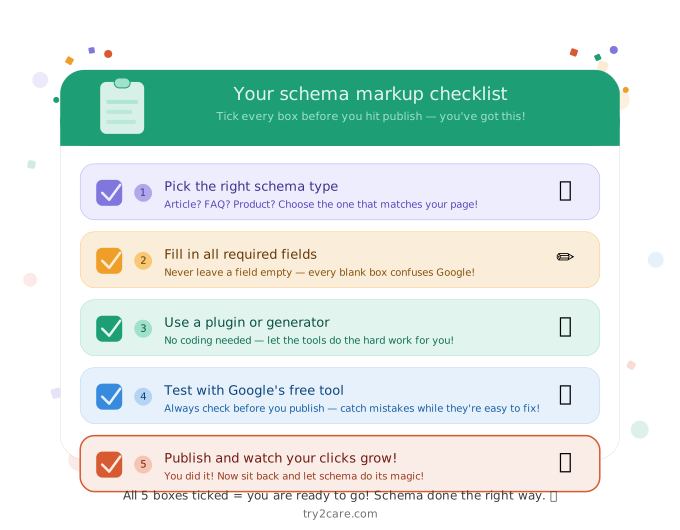
You’ve got this! Go add some schema to your website today!