
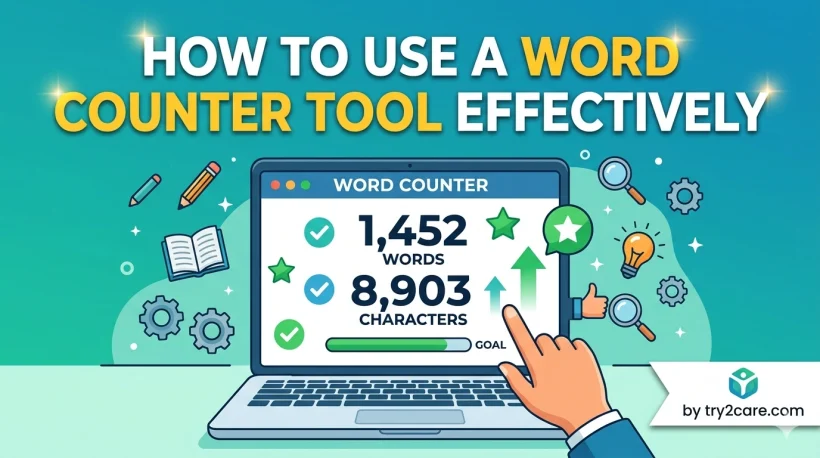
How to Use a Word Counter Tool Effectively (And Why Every Writer Needs One)
Everything you need to know about getting real value from a word counter, from tracking limits to sharpening your writing habits.
I have been writing content professionally for several years, and the single habit that improved my output quality more than any style guide or grammar checker was keeping a close eye on my word count and readability metrics. Most writers treat word count as a box to tick.
The smarter approach is to treat it as a diagnostic tool, one that tells you whether your writing is concise, balanced, and structured well for its intended audience.
In this guide I am going to walk you through how to use a dedicated word counter tool to its full potential, what each feature actually tells you, and how writers from students to SEO professionals can apply the data to produce better work.
1. What Is a Word Counter Tool?
A word counter tool is an online utility that analyses a piece of text and returns a range of useful metrics: word count, character count (with and without spaces), sentence count, paragraph count, average reading time, and often a readability score.
Unlike the basic word count feature built into most word processors, a dedicated tool gives you all of these figures simultaneously without requiring you to navigate any menus.
The Try2Care word counter takes this further by giving you a clean, distraction-free interface where you can paste or type your content and see all the key data update in real time.
Try the Word Counter Tool Right Now
Paste any text and instantly see your word count, character count, reading time, sentence count, and more. No sign-up required.
Open the Word Counter →2. Why Word Count Actually Matters More Than You Think
Before we get into the mechanics of the tool, it is worth understanding why word count deserves your attention at all. The answer is different depending on who you are writing for.
For SEO and content writers
Search engines do not rank pages based on length alone. However, research from Ahrefs and Backlinko consistently shows that longer, more thorough content tends to rank higher for competitive queries.
This is not because Google rewards length itself, but because comprehensive content covers a topic deeply enough to satisfy searcher intent.
If you are still getting your head around how Google evaluates the quality and authority of pages, our guide on what backlinks are and why Google cares about them is a solid next read.
For students and academic writers
Assignments almost always come with strict word limits, and going over or under can affect your grade. Monitoring your count as you write prevents last-minute panic and helps you plan how much space to give each section of your argument.
For social media and platform-specific writing
Every platform has its own character or word limits. Twitter posts, LinkedIn articles, YouTube descriptions, and email subject lines all benefit from knowing exactly how long your copy is before you publish.
If you are thinking about expanding your content to video alongside your writing, our guide on starting a YouTube channel for free covers everything you need to get going.
Getting your content to rank is only part of the equation. Once people arrive, you need a fast and well-structured website to keep them.
If you have not set one up yet, our step-by-step guide on how to create a website and make money from it walks through everything from choosing a platform to publishing your first post.
3. How to Use the Word Counter Tool: Step by Step
The tool is designed to require zero learning curve. Here is how to get the most out of it from your very first use.
Open the tool
Navigate to try2care.com/tools/word-counter/. No account, no login, and no download is required. It works entirely in your browser on any device.
Paste or type your text
Drop your content into the text box. This can be a draft blog post, a section of an essay, an email, a social media caption, or any other written content. The tool accepts plain text of any length.
Read the metrics panel
All key statistics update in real time as you type or paste. You will immediately see word count, character count, sentence count, paragraph count, and estimated reading time displayed clearly.
Interpret the data and edit
Use the data to guide your editing decisions. Is your reading time longer than your audience can sustain? Is your sentence count suspiciously low, which might mean your paragraphs are too dense? Adjust your text and watch the numbers respond instantly.
Repeat for individual sections
For longer pieces, paste individual sections one at a time to understand the balance between them. If your introduction is 600 words and your conclusion is 80 words, that imbalance becomes visible and actionable immediately.
4. Key Features Explained: What Each Metric Tells You
Understanding what each number means transforms the tool from a simple counter into a genuine writing coach. Here is what each metric is really communicating.
Reading time is one of the most underrated metrics a word counter provides. A 2,000 word article takes around 8 to 10 minutes to read. Knowing that before you publish lets you set realistic expectations, choose the right platform for the content, and decide whether to break it into a series instead.
5. Who Benefits Most: Use Cases by Writer Type
6. Feature Comparison: Word Counter vs Other Writing Tools
Writers often wonder whether a dedicated word counter adds real value on top of the tools they already use. Here is how a standalone counter compares to the built-in options in common platforms.
| Feature | Word Counter Tool | Google Docs | Microsoft Word | Notion |
|---|---|---|---|---|
| Real-time word count | ✓ Always visible | Requires menu | Status bar only | Hidden by default |
| Character count (no spaces) | ✓ Yes | ✓ Yes | ✓ Yes | ✗ No |
| Sentence count | ✓ Yes | ✗ No | ✗ No | ✗ No |
| Reading time estimate | ✓ Yes | ✗ No | ✗ No | ✗ No |
| Paragraph count | ✓ Yes | ✗ No | ✗ No | ✗ No |
| Works on any device/browser | ✓ Yes | Requires account | Requires install | Requires account |
| No sign-up required | ✓ Yes | ✗ No | ✗ No | ✗ No |
The advantage of a dedicated tool is immediacy and focus. When you are editing a piece for a specific platform, you do not want to navigate menus or log into an account. You want the data instantly.
The platform you publish on matters just as much as the content itself. If you are still deciding where to build your site, our honest comparison of Blogger versus WordPress for content creators will help you make the right call.
7. Writing Tips Powered by Word Counter Data
The raw numbers only become useful when you know what to do with them. Here are the practical adjustments I make in my own writing based on what the word counter shows me.
When your sentence count is too low relative to word count
This usually means your sentences are long and complex. Long sentences are not always a problem in academic writing, but they hurt readability for general web audiences.
As a practical benchmark, aim for an average sentence length of 15 to 20 words for online content. If your tool shows 400 words but only 12 sentences, you have room to break things up.
Find any sentence over 30 words in your draft and split it into two. You will almost always find a natural break point, and the result will be more readable without losing any meaning.
When your reading time feels too long for your audience
A reading time of 10 minutes or more is appropriate for a detailed long-form guide or a pillar page meant to comprehensively cover a topic.
For a social-media-linked article or a quick-tip post, your target reading time should sit closer to 3 to 5 minutes. Use the reading time metric to make a deliberate decision, not an accidental one.
When your paragraph count seems too low
On a screen, paragraphs should be short. Three to four sentences per paragraph is a reasonable maximum for web content.
If you have 1,000 words spread across only five paragraphs, readers are going to face intimidating walls of text that push them away before they finish. Break those paragraphs up and watch your on-page engagement improve.
Using character count for meta descriptions and social captions
Google typically displays between 120 and 160 characters of a meta description in search results.
If you are writing your meta description inside the word counter, you can watch the character count in real time and stop precisely where you want to.
Understanding how your pages are presented in search results connects directly to how you structure your technical SEO.
Our guide on what schema markup is and how it makes your pages stand out in search results is worth reading alongside this, as is our explainer on what a Robots.txt file does and why it matters for controlling how Google crawls your content.
Tracking content balance across sections
One of the most powerful and underused applications of a word counter is section balancing. Paste each section of a long article individually and note the word counts.
If your introduction runs 600 words but your main body sections average only 150 words each, your content is structurally out of balance.
Each section should carry roughly proportional weight relative to its importance in the overall piece.
| Section | Ideal Weight | Common mistake | Why it matters |
|---|---|---|---|
| Introduction | 8 to 12% of total | Too long, buries the value | Readers decide within seconds whether to continue |
| Main body sections | 70 to 80% of total | Uneven section lengths | Signals depth and thoroughness to both readers and search engines |
| Conclusion | 8 to 12% of total | Too short, feels abrupt | A strong conclusion improves recall and drives action |
Once your content is polished and published, the next step is making sure Google finds it quickly.
Submitting your sitemap is one of the fastest ways to get new pages indexed, and our guide on submitting your sitemap to Google Search Console walks through it step by step.
From there, learning how to use Search Console to grow your organic traffic will help you understand exactly which pages are gaining traction and which ones need attention.
When your traffic starts to grow, monetising it becomes the natural next step.
Check our guide on getting paid through Google AdSense explains the whole setup process from application through to your first payment.
8. Final Thoughts: Small Data, Big Impact
A word counter tool is not glamorous. It does not generate content for you, suggest synonyms, or fix your grammar.
What it does is give you clear, objective data about your writing, and objective data is the foundation of deliberate improvement.
The writers who improve fastest are not the ones who write the most. They are the ones who pay attention to their writing.
They notice when their sentences run too long, when their articles go off balance, when their character count pushes past what a platform can display. A word counter makes all of that visible instantly, for free, with no friction.
"You cannot improve what you cannot measure." That principle applies just as much to writing as it does to any other discipline.
Whether you are working on a university assignment, a product landing page, a newsletter, or a long-form SEO guide, running your text through a word counter before you publish takes thirty seconds and regularly surfaces issues that would otherwise slip through to your audience.
Make it part of your process. You will notice the difference in your writing before long.
Open the Word Counter and Start Writing Smarter
Get instant access to word count, character count, reading time, sentence count, and more in one clean, simple interface.
Use the Free Word Counter →